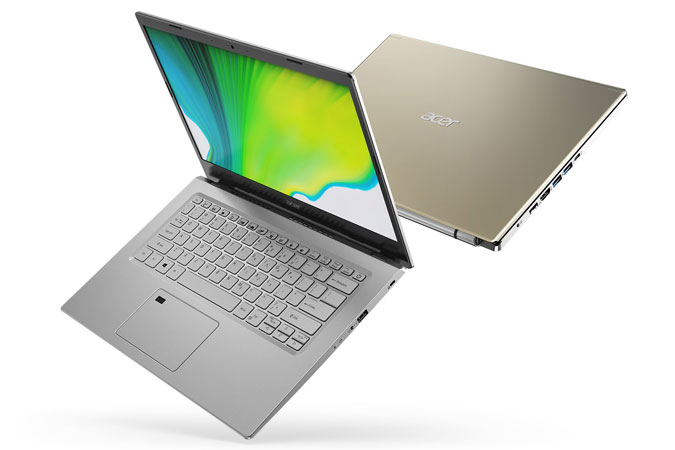
Nowadays, laptops are very common consumer electronics in real life. Laptops are essential for doing daily tasks more efficiently. The laptop is an efficient device for communicating, working, learning, sharing news, and entertainment. While buying a laptop, we often need to consider the “Budget” and quality simultaneously. Considering those two facts, we have sorted out some budget-friendly laptops and high quality at the same time. We have gone through hundreds of laptops to find out the best budget laptops in Japan. The listed budget laptops in this article will perform almost the same as the costly laptops available in the market. In some cases, they do it even better. Our target was to find the best quality and best budget laptop around 100,000 JPY (10万円).
If you are in a hurry, you can buy the best item based on your budget, preference, and our recommendations given below. Based on our study, we concluded that-
– The overall best product – HP 15s-fq5000 Full HD IPS Display Laptop
– The editor’s choice – Lenovo IdeaPad Flex 570 Laptop
– The budget product – Asus Vivobook 14 Series Laptop
6 Best Budget Laptops in Japan
1. Lenovo IdeaPad Flex 570 Laptop
2. HP 15s-fq5000 Full HD IPS Display Laptop
3. Fujitsu FMV LIFEBOOK
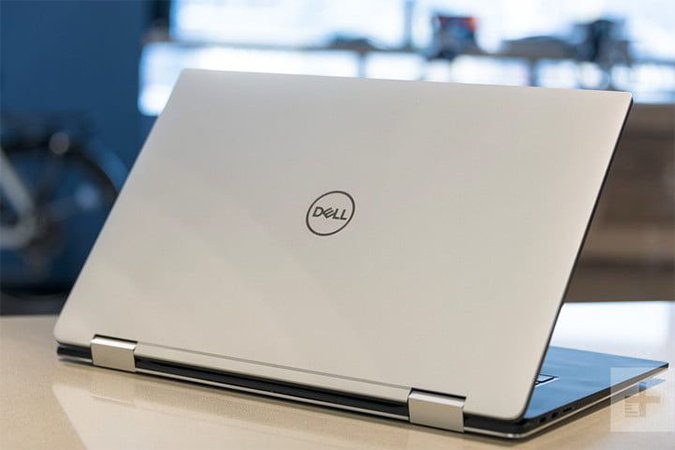
4. Dell Inspiron 15 series laptop
5. Acer Aspire 5 series laptop
6. Asus Vivobook 14 Series Laptop
Here are the details of each budget laptop listed above-
The Lenovo IdeaPad Flex 570 Laptop combines cutting-edge technology, sleek design, and versatile functionality, making it a top choice for those seeking an exceptional yet budget-friendly laptop in Japan in 2024.
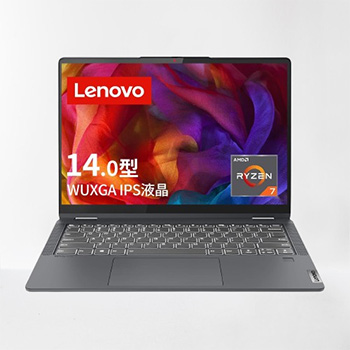
Main Features:
Brand: Lenovo
Series: IdeaPad Flex 570
Display: 14 Inches; 1920 x 1200 pixels
Processor: AMD Ryzen 7 5700U
Ram: 16 GB LPDDR4X
Hard Drive: 512 GB, SSD
Operating System: Windows 11 Home
Special Feature: Touchscreen
Wight: 1.55 Kg
The Lenovo IdeaPad Flex 570 Laptop emerges as a top contender in Japan’s laptop market, boasting a powerful AMD Ryzen 7 5700U Mobile Processor with 8 cores, delivering stellar performance for content creation and productivity tasks. Paired with 16GB memory and a speedy 512GB PCIe NVMe/M.2 SSD, this laptop ensures fast read and write speeds, enhancing overall efficiency.
Its 14 Inch display with a 16:10 aspect ratio and 1920 x 1200 resolution provides a crisp and vibrant visual experience, making it ideal for work, entertainment, and content production. The multi-touch support adds an extra layer of versatility, supporting up to 10 simultaneous touches.
The laptop’s design is both elegant and practical, featuring a unique 2-in-1 style with a 360-degree rotation, offering four modes: laptop, tablet, tent, and stand, catering to diverse user needs. The inclusion of a fingerprint sensor ensures secure and convenient login, while the support for Lenovo Digital Pen allows for easy note-taking and drawing.
Its advanced features, such as quick charging and intelligent cooling, combined with the Windows 11 Home 64-bit operating system, contribute to a well-rounded and high-performance laptop that stands out in the Japanese market. With a reliable 3-cell lithium-ion polymer battery and a lightweight design, it not only delivers impressive usage time but also ensures portability for users on the go. The perfect blend of performance, versatility, and user-friendly features, making it a top choice for budget-conscious consumers seeking a reliable computing companion in Japan’s dynamic market.
The HP 15s-fq5000 Full HD IPS Display Laptop stands out as an excellent choice for users in Japan seeking a reliable, high-performance laptop for various tasks, from work to entertainment and beyond.
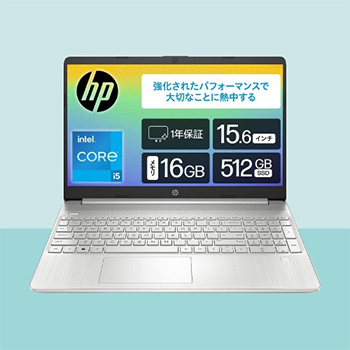
Main Features:
Brand: HP
Series: HP 15s
Model Number: 6F8T8PA-AAAA
Display: 15.6 Inches; 1920 x 1080 pixels
Processor: Intel 12th Gen Core i5-1235U
Ram: 16GB DDR4
Hard Drive: 512 GB, SSD
Operating System: Windows 11 Home
Special Feature: Thin & Lightweight
Dimensions: 24.2 x 35.8 x 1.79 cm
Wight: 1.6 Kg
The HP 15s-fq5000 Full HD IPS Display Laptop emerges as a standout choice in Japan’s laptop market, offering a compelling combination of performance, connectivity, and convenience. With its 15.6-inch Full HD Matte IPS Display, users can enjoy vibrant, natural images and videos without worrying about glare or eye strain. The non-glossy LCD enhances viewing comfort, making it an ideal companion for extended work or entertainment sessions.
Powered by the 12th generation Intel Core i5-1235U Processor, this laptop delivers impressive processing performance, ensuring smooth multitasking and seamless operation of demanding applications. Coupled with 16GB of DDR4-3200MHz memory and a speedy 512GB SSD (PCIe NVMe M.2), users can expect fast boot times and efficient data storage. Additionally, the inclusion of Intel Iris X Graphics provides enhanced graphics capabilities for multimedia tasks and light gaming.
In terms of connectivity, the HP 15s-fq5000 series offers a versatile range of ports, including a SuperSpeed USB Type-C port, two SuperSpeed USB Type-A ports, an HDMI output, and a headphone/microphone combo port. This comprehensive selection of interfaces ensures compatibility with a wide range of peripherals and accessories, enhancing the laptop’s usability and versatility. Furthermore, the presence of Wi-Fi 6 support enables seamless wireless connectivity, facilitating smooth browsing, streaming, and online collaboration.
Its sleek design, powerful internals, and versatile connectivity options make it a compelling option for budget-conscious consumers looking to invest in a capable computing solution. Whether for students, professionals, or everyday users, the HP 15s-fq5000 series delivers a compelling blend of performance, features, and value.
The Fujitsu FMV LIFEBOOK WAA/J1 laptop stands out as a top-tier choice in Japan, combining powerful features with thoughtful design elements.

Main Features:
Brand: FMV
Manufacturer: Fujitsu
Series: FMV LIFEBOOK
Model Number: WAA/J1
Display: 15.6 Inches; 1920 x 1080 pixels
Processor: AMD Ryzen5 5500U
Ram: 8 GB DDR4 SDRAM
Hard Drive: 512 GB, SSD
Operating System: Windows 11 Home
Special Feature: Full Keyboard Layout with Number pad
Dimensions: 36.1 x 24.4 x 2.7 cm
Wight: 2 kg
Running on the Windows 11 Home, it is powered by the AMD Ryzen5 5500U, offering a responsive computing experience with 6 Cores, 12 Threads, and processor speed from 2.1 GHz up to 4.0 GHz. The laptop boasts a spacious 15.6-inch wide full HD non-glare LCD, providing a comfortable and eye-friendly viewing experience. The inclusion of a Super Multi-Drive enhances its versatility for various multimedia needs.
In terms of connectivity, the Fujitsu FMV FIFEBOOK WAA/J1 laptop impresses with its array of ports, including an HDMI output, a USB 3.2 (Gen2) Type-C with Power Delivery and DisplayPort Alt Mode support, and multiple USB 3.2 (Gen1) Type-A ports with power-off USB charging function. The laptop embraces the latest in wireless communication technology with Wi-Fi 6 support, ensuring fast and reliable connectivity. Its lightweight design, coupled with a slim profile, makes it highly portable and convenient for users on the go, suitable for both home and business use.
One of the standout features of this laptop is its ergonomically designed Step Key Top keyboard. The keys are individually sloped toward the LCD and have stair-shaped deviations, offering precise touch typing without mistaking key rows. The Spherical Silicone Liquid Key Top design adds to the typing comfort, with slightly concave keys that follow the natural movement of fingers to reduce typing fatigue. Additionally, the high response keyboard ensures secure key operation with less entry and faster typing, contributing to an overall efficient and enjoyable user experience. Additionally comes with Macaffei Rib Safe 3 Year Edition / Manufacturer Warranty making it a compelling choice for users in Japan seeking a reliable and user-friendly computing solution.
The Dell Inspiron 15 series laptop, particularly the 3520 model, emerges as a compelling choice for users in Japan seeking a powerful, stylish, and user-friendly computing solution.
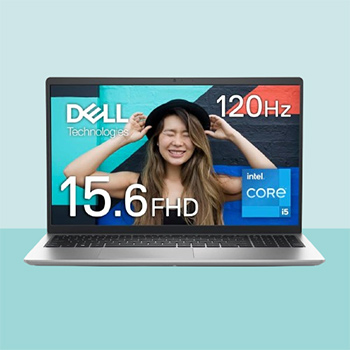
Main Features:
Brand: Dell
Manufacturer: Dell Technologies
Series: Inspiron 15 3520
Model Number: NI345A-DWLS
Display: 15.6 Inches; 1920 x 1080 pixels
Processor: Intel 11th Gen Core i5-1135G7
Ram: 8 GB DDR4
Hard Drive: 512 GB, SSD
Operating System: Windows 11 Home
Special Feature: HD Audio, Anti Glare Coating
Dimensions: 49.5 x 32.5 x 7.6 cm
Wight: 1.64 Kg
Powered by the 11th Generation Intel Core i5-1135G7 processor, this laptop ensures responsive and efficient performance for everyday tasks, whether it’s productivity work, multimedia consumption, or casual gaming. Paired with 8GB of DDR4 SDRAM and a speedy 512GB SSD (PCIe), users can expect smooth multitasking and fast data access, enhancing overall productivity and user experience.
One of the standout features of the Dell Inspiron 15 3520 is its high-speed refresh rate screen, boasting a 120Hz panel that allows for smooth scrolling and cursor movement, as well as enhanced video playback. Additionally, the Dell ComfortView Low Blue Light (LBL) solution reduces harmful blue light emissions, optimizing eye comfort during extended usage sessions. The 15.6-inch FHD IPS non-glare display provides an immersive viewing experience, with narrow frames on three sides enhancing the visual appeal and maximizing screen real estate.
In terms of design, the Dell Inspiron 15 3520 Laptop boasts a stylish and thoughtful aesthetic, with classic colors such as carbon black and platinum silver to suit various preferences. The inclusion of a convenient HD (720p) webcam and a numeric keypad design enhances work efficiency, while the lift hinge design allows for comfortable typing and improved air circulation underneath the device. Moreover, the laptop features Dell’s ExpressCharge rapid charging function, enabling users to charge up to 80% in just 1 hour, ensuring minimal downtime and maximum productivity. With its powerful performance, thoughtful design elements, and comprehensive support services, this Laptop stands out as one of the best options available for users seeking a reliable and versatile computing solution in Japan. Specially for business purposes.
The Acer Aspire 5 emerges as a top-tier laptop choice in Japan, combining powerful performance, advanced cooling capabilities, and a stunning display for an exceptional user experience.
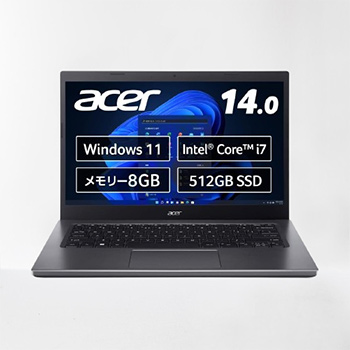
Main Features:
Brand: Japan Acer
Manufacturer: Japan Acer
Series: Aspire 5
Model Number: A514-55-N78Y
Display: 14 Inches; 1920 x 1080 pixels
Processor: Intel Core i7-1255U
Ram: 8 GB DDR4
Hard Drive: 512 GB, SSD
Operating System: Windows 11 Home
Special Feature: HD Audio, Anti Glare Coating
Dimensions: 22.12 x 32.81 x 1.79 cm
Wight: 1.49 Kg
With the 12th generation Intel Core processor, dual-channel 8GB/16GB DDR4 memory, and a spacious 512GB expandable dual SSD, the Aspire 5 ensures seamless multitasking and efficient productivity. The high cooling performance, facilitated by dual fans and dual copper thermal pipes, sets it apart by providing optimal heat dissipation, while the unique inlet keyboard design allows over 10% of heat to escape, maintaining an efficient cooling system.
The laptop’s FHD display with an impressive 81.18% screen-to-body ratio delivers a breathtaking visual experience, complemented by Acer Color Intelligence and Acer BlueLightShield technologies for dynamic and comfortable video display. The Aspire 5’s smart functions, including Acer TNR (Tepral Noise Reduction) technology and AI noise reduction, enhance image and audio quality, making it ideal for online courses and family communication. The 720p HD webcam, compatible with Acer TNR technology, adds convenience and security to video calls.
Communication and connectivity are taken to the next level with the Aspire 5, supporting Wi-Fi 6E for fast file sharing and smooth 4K streaming, along with Bluetooth 5.2. Its versatile port selection includes 1 Thunderbolt 4 port for multi-tasking with dual 4K displays, 3 USB Type-A ports, and 1 HDMI 2.0 port. The laptop’s sleek metal cover and ergonomic elevated hinge design enhance its portability and aesthetics, making it a stylish and functional device for various work environments. With its powerful features, smart technologies, and thoughtful design, the Acer Aspire 5 stands out as one of the best laptops in Japan, catering to users seeking a reliable and high-performance computing solution.
The Asus Vivobook 14 Series Laptop emerges as a well-rounded computing solution, addressing the key aspects of performance, storage, visual experience, and portability, making it a top choice for users looking for a perfect blend of speed, efficiency, and portability.

Main Features:
Brand: ASUS
Manufacturer: ASUS
Series: Vivobook 14 X1405ZA
Model Number: X1405ZA-I7165W
Display: 14 Inches; 1920 x 1200 pixels
Processor: Intel 11th Gen Core i7-1255U
Ram: 16 GB DDR4-3200 Slots
Hard Drive: 512 GB, SSD
Operating System: Windows 11 Home 64-bit.
Special Feature: Anti Glare Coating
Dimensions: 45.4 x 27.4 x 6.5 cm
Wight: 1.61 Kg
The Asus Vivobook 14 Series Laptop excels in delivering a powerful and efficient computing experience, making it a standout choice for users in Japan. Fueled by the Intel Core 11th Generation Processor and equipped with 16GB DDR4 memory, this laptop ensures swift and responsive performance for a wide range of tasks. Whether you’re tackling demanding workloads or engaging in multimedia activities, the Vivobook 14’s processing capabilities empower users to get things done efficiently, contributing to an overall seamless computing experience.
One of the laptop’s standout features is its storage solution — a PCIe 3.0 SSD with a capacious 512GB capacity. This not only guarantees superfast data performance but also provides ample space for users to store and access their files with ease. The combination of speed and storage capacity is a significant advantage, particularly for users who prioritize both performance and ample storage for their digital assets.
The Vivobook 14 Series Laptop enhances the user’s visual experience with its 14.0-inch FHD display, boasting a 16:9 aspect ratio for a captivating viewing experience. Whether you’re working on creative projects, watching videos, or simply browsing, the display’s quality and clarity contribute to an immersive visual journey. The laptop’s commitment to providing a superior viewing experience reflects its dedication to meeting the diverse needs of modern users.
Designed with portability in mind, the Vivobook 14 weighs just 1.6 kg and boasts a slim profile at 1.99 cm thin. This lightweight and sleek design make it an ideal companion for individuals leading a fast-paced lifestyle. The laptop’s portability is complemented by its constant connectivity, allowing users to effortlessly connect peripherals, displays, and projectors without any hassle.
Laptop Buying Guide
Display Size
To buy a laptop, you should keep in mind that display size is a major factor. If you want to buy a laptop for graphic design, playing games, and doing other official tasks, you should go for a bigger screen. But there is a big issue with a bigger screen. The laptop can’t be carried easily when the display is bigger. So, you should choose the laptop carefully before buying it.
RAM Capacity
RAM is temporary storage that allows stored data to be received and read instantaneously. It is temporarily stored in your computer’s memory for easy access when you run a program. Your computer will move at a snail’s pace if your CPU utilizes your hard drive to perform every function and execute each program. So, you must realize that the RAM you’ll require for your laptop is based on how you intend to use your PC.
Storage Capacity
A hard drive is the hardware component that stores all of your digital content. Your documents, pictures, music, videos, programs, application preferences, and operating systems represent digital content stored on a hard drive. Hard drives can be smaller or bigger in-memory storage sizes (GB). The bigger your hard disk, the more data you can store in your laptop. If you are a heavy user, you should buy a laptop with bigger storage. There is one more thing to consider, and that is there are two types of storage available right now: SSD & HDD. The SSD(Solid State Drive) is three times faster than an ordinary HDD.
Processor Speed
Faster processor speeds are desirable. CPU speed is one of the most important elements to consider when comparing computers. Having a high clock speed but just one or two cores means your computer will be able to load and interact with a single application quickly. Conversely, having more processor cores but a slower clock speed means your computer can work with more applications simultaneously, but each may run a little slower. When comparing computers, it’s most important to think about your lifestyle. Not everyone needs the same level of processing speed or cores.
Battery Life
When more programs are open, it requires more power for the laptop to keep the programs running. Other factors that affect the battery life include the brightness of the screen, an active Wi-Fi connection, and if you are consuming media. Each of these also reduces battery life. After the laptop has gone through a single full charge and the power adapter is unplugged, the average laptop battery life is between one and ten hours. This time is dependent on the battery, its capacity (mAh), what’s being done on the laptop, and how old the battery is. Over time, the laptop battery’s capacity decreases, meaning the battery needs to be recharged more frequently than when you first got the laptop and continues to decrease over time.
Conclusion
All the information stated above has been noted after analyzing information found from different resources. So before buying a laptop, try to know all the specifications. As laptops are expensive products, you should know enough about the laptop you will buy. If you ever face any issues when using a laptop, immediately consult with a tech expert to solve the issue. If you have any questions or comments, feel free to contact us. If you want to buy a gaming laptop beyond the budget limitation, you can check out another article: Best Gaming Laptop in Japan. To read more reviews such as the best wireless mouse, and best gaming chair you can check our Electronics Products category articles on the Sakuron Japan website.
– Our editorial team reviewed the article and approved it for publication according to our policy.
You can also check the Amazon bestseller budget laptops from the list below:
No products found.
Last update on 2026-10-18 .